Customers handle the small stuff themselves
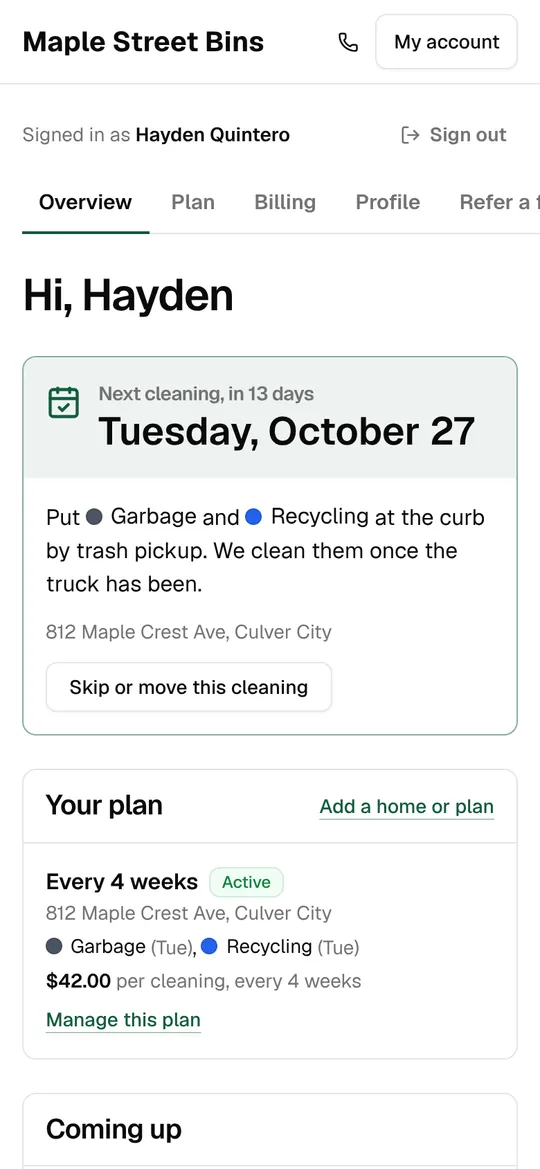
Every customer gets an account on your sign-up page: their next cleaning and which bins to put out, photos from past cleanings, and buttons to skip, move, pause, change bins or update their card. Fewer “can you skip me this month?” texts for you.
No password to remember
Customers sign in with a link by text or email, or set a password if they want one. Links from your messages take them straight to the right page.
- Sign-in links by text or email
- A password if they prefer
- Update-card links that open the billing page
Their next cleaning, front and center
The account opens on the next cleaning and which bins to leave out, with the next six dates below. Past cleanings show each bin’s result and the photos your technician took.
- The next cleaning and the bins to put out
- The next six cleanings, the last five with results
- Photos from their cleanings
- A tip button for the latest cleaning
Skip, move and pause
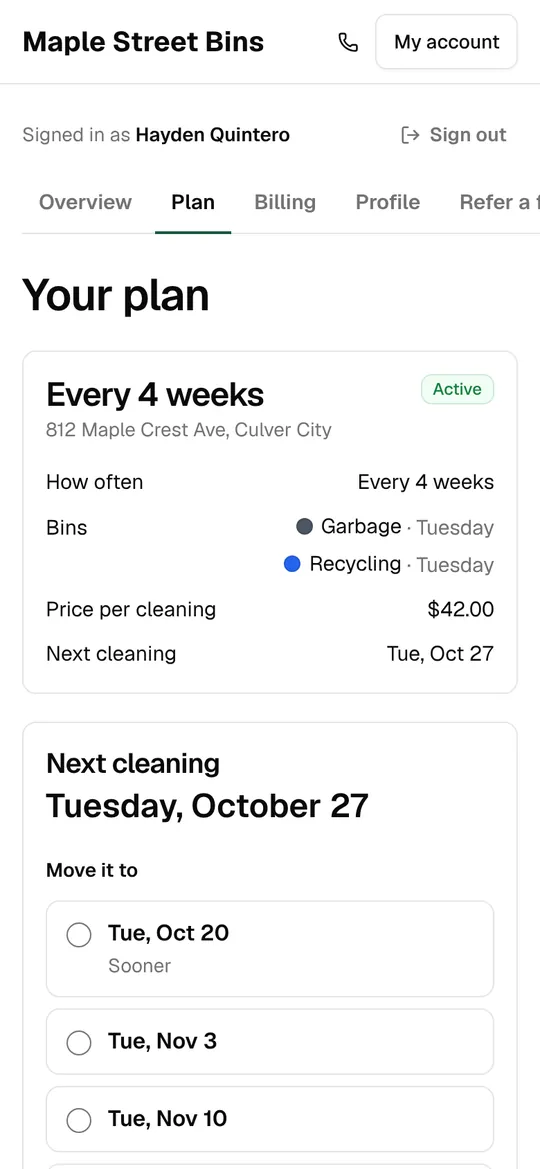
They can move the next cleaning to another of their trash days, skip one with a reason, or pause for up to 90 days. Everything stays on your schedule, so you never rebook by hand.
- Move to one of up to 8 dates on their trash day
- Skip because they’re away or the bins aren’t dirty yet
- Pause up to 90 days, then resume
Bins, plan and homes
They can change how many bins they have and their trash days, switch plans, prepay a bundle, or add another home to the same account.
- Change bins and trash days
- Switch plans within the same service
- Prepay a bundle of cleanings
- More than one home on one account
Cards, receipts and balances
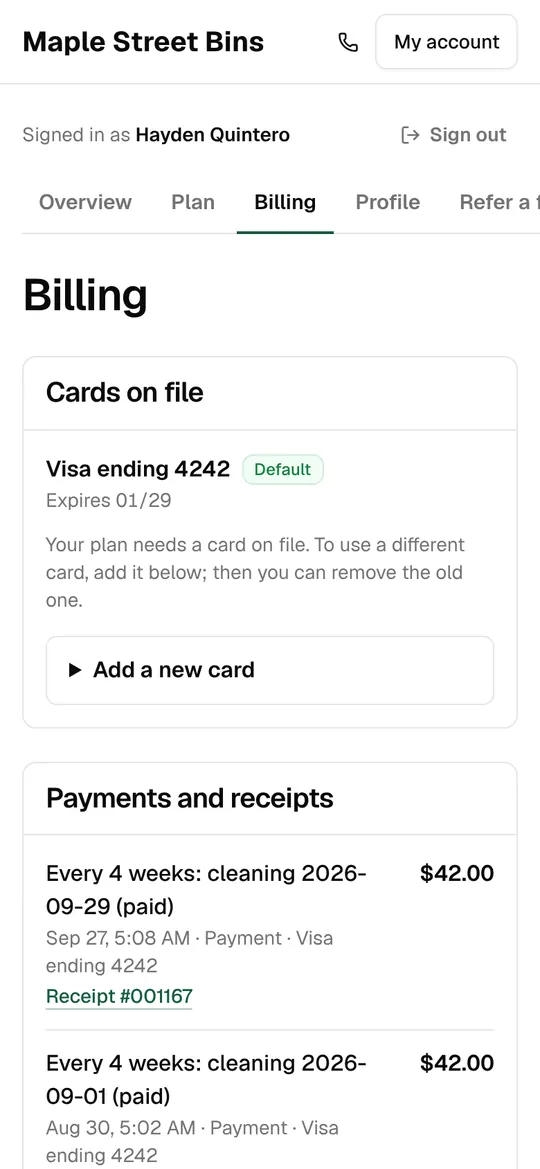
Add a card, pick the default, pay a balance, and find every receipt and invoice. Prepaid cleanings left and account credit are right there.
- Add, choose and remove cards
- Pay what’s owed in one tap
- Receipts, invoices and credit history
Cancelling, with reasons you can use
If they cancel, they pick a reason and see any early-cancel fee first. The reasons add up in a report, so you know whether it’s price, schedule or moving away.
- Six cancel reasons, reported back to you
- Fees shown before they confirm
- You get an email when someone cancels
Refer a friend
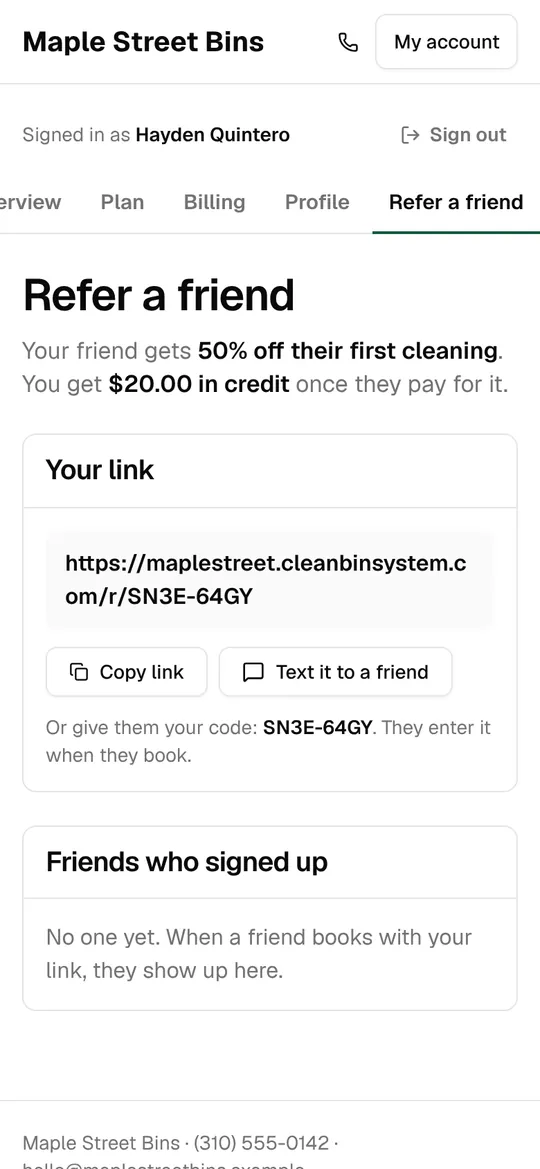
Each customer has a referral link and code, a button to text it to a friend, and a list of who signed up. Friends get a discount; the customer gets credit once their friend pays.
- 50% off the friend’s first cleaning, $20 credit for the customer (to start)
- A link, a code and a text-a-friend button
- Their friends’ status in one list
Home details your technicians need
Customers keep their contact details, gate code and notes for the technician up to date, and add up to five extra contacts who get the service messages.
- Gate code and notes per home
- Up to 5 extra contacts
- Text and offers opt-ins they can change
- Requests for extra services with a preferred date
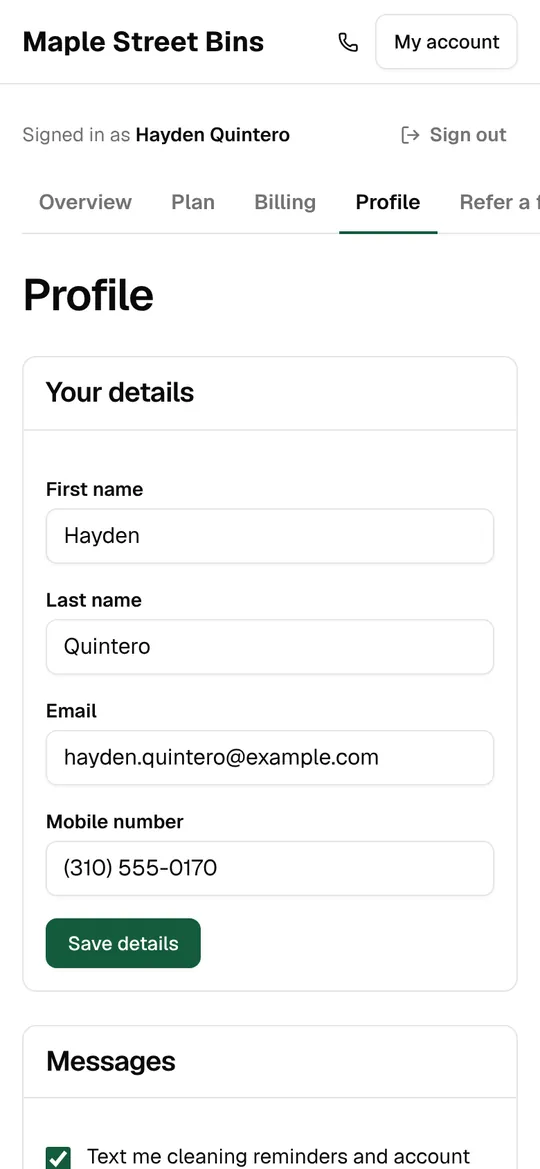
Customer accounts
The details
- Sign in
- Link by text or email, or a password
- Moves
- Up to 8 dates on their trash day
- Pauses
- Up to 90 days
- Changes
- Bins, trash days, plan, card, contact details
- Extra contacts
- Up to 5
- Referrals
- 50% off for the friend, $20 credit (adjustable)
Keep exploring
Try it with your own prices and routes.
3 days free with every feature, and nothing is charged until the trial ends. Everything begins in test mode, so nothing reaches your customers until you’re ready.