Free course14 lessons, about 1.5 hours of reading
How to use Clean Bin System
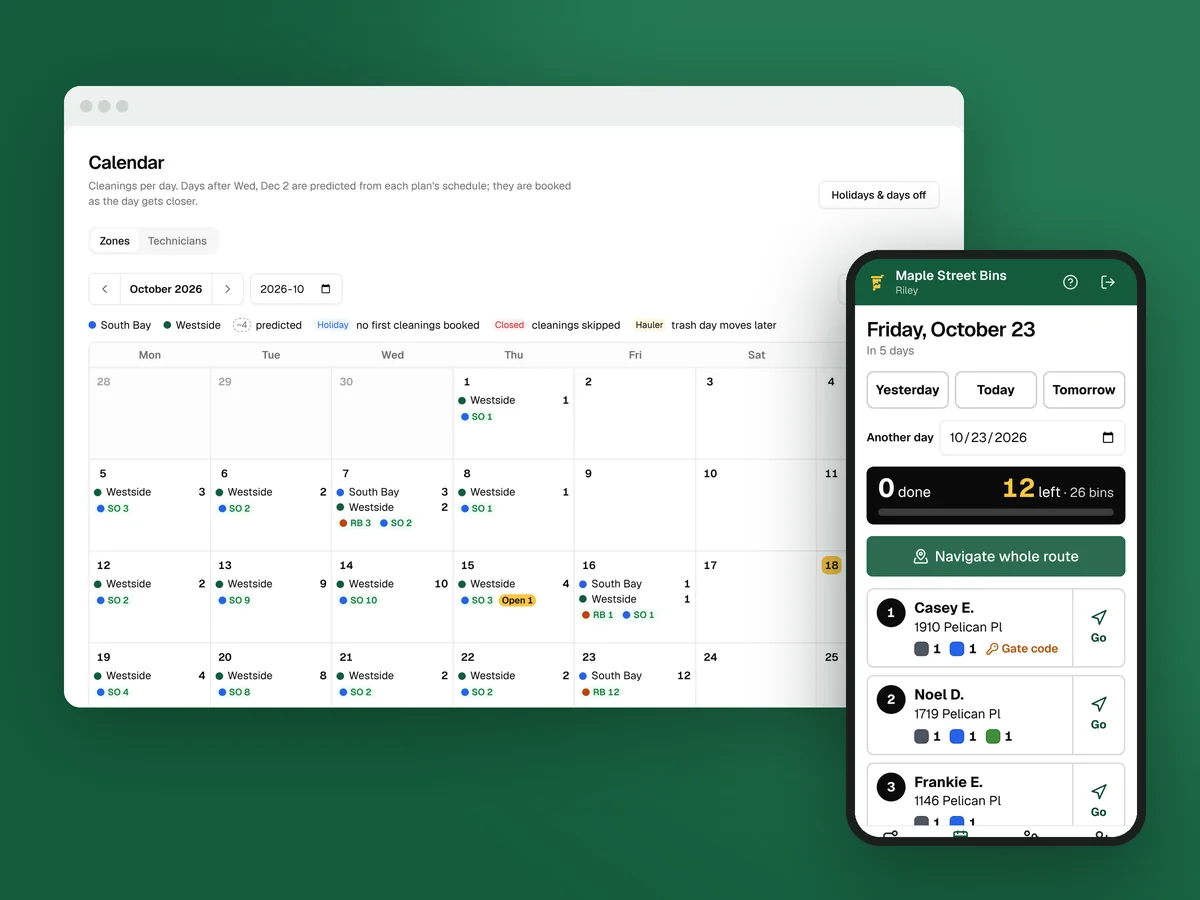
Every part of Clean Bin System, in the order you’ll use it, with real screens from a sample business: what each feature does, why it matters to a bin cleaning business, and how to set it up so it looks like yours.
What you’ll be able to do
- Set it up in the right orderThe steps from an empty account to your first real booking, and why the texting number comes first.
- Make it look like yoursYour logo, colors, wording and own web address on the sign-up page, emails and receipts.
- Build routes around trash dayZones, haulers, holidays and the four-week cycle, so every stop lands right after pickup.
- Get paid without chasingPlans and prices, cards charged before each cleaning, and failed cards retried for you.
- Run the day from your phoneDispatch, the driver app, photos at every stop and the texts that go out on their own.
- Know your numbersThe dashboard each morning, reports each week, and where your customers come from.
The lessons
Read them in order the first time. Each one ends with what to do next.
- How Clean Bin System runs a bin cleaning businessThe sign-up page, back office, driver app and customer account, and how one customer moves through all four.7 min
- Set up Clean Bin System in the right orderThe setup steps in order, why the texting number starts early, and why the test booking comes before Stripe.7 min
- Make it look like your business: logo, colors and wordsYour logo, colors and words on the sign-up page, emails and texts, with before and after screens.7 min
- Zones, trash haulers and holidaysDraw the areas you serve, set each zone’s weeks and cleaning day, and let hauler holidays and your own days off move cleanings.7 min
- Plans, prices, extras and offersSet your plans and per-bin prices, raise prices on a schedule, and add prepaid years, extras, coupons and gift cards.7 min
- The sign-up page your customers useWhat customers see from the address check to “You’re booked”, the waitlist for streets you don’t serve yet, and the settings behind it.6 min
- Billing: cards on file, failed cards and invoicesConnect Stripe, choose when cards are charged, recover failed cards, refund, invoice one-off work and pay out tips.7 min
- Routes: the calendar, dispatch and route sheetsSee the month on the calendar, build and order each day’s routes in Dispatch, print route sheets, and set the rules that shape every route.7 min
- The driver app: a technician’s dayFrom Start day to End day: the route, directions, on-the-way texts, photos, bin results, curbside sign-ups, tips and the time clock.7 min
- Customers: records, changes and their own accountsThe customer list, one customer’s page, every change and what the customer is told, adding and importing, and what customers do themselves.7 min
- Texts and emails that go out on their ownEvery automatic message, how to make it sound like you, your texting number, the texting rules, replies and announcements.7 min
- Leads, requests and referralsUnfinished sign-ups, out-of-area leads, service requests, referral rewards, curbside sign-ups, QR codes and where your customers come from.7 min
- Your numbers: the dashboard and reportsThe morning dashboard, the reports on money, customers, cleanings and texts, and which numbers to check daily, weekly and monthly.6 min
- Your team, your plan, help and ClaudeRoles and invites, technician spots, the time clock and trucks, your plan and texts, the Learning center and Help, and Claude or ChatGPT.7 min
Questions before you start
Do I need a Clean Bin System account to take this course?
No. Every lesson shows the real screens from a sample business, so you can read it before you sign up. If you have an account, follow along in your own back office.
How long does it take to set up Clean Bin System?
Most businesses finish the required steps in an afternoon: your details, a zone, your prices and card payments. The texting number takes longest because carriers review it, usually a few days, so start it first.
Is this the same as the Learning center?
The Learning center inside the back office has a guide for every screen and every field. This course is the guided tour: what to set up and in what order, why each part matters, and pictures of each screen.
What does Clean Bin System cost?
Starter is $89 a month for 1 technician, Growth is $179 for up to 4 technicians, and Pro is $329 for any number of technicians. Every feature is on every plan, and you can try it free for 1 day.
Who wrote this course?
Taylor, who builds Clean Bin System. The screens are from Maple Street Bins, a sample business with made-up customers.
Ready to set up your own? Start your free trial.
1 day free with every feature, and nothing is charged until the trial ends. Everything begins in test mode, so nothing reaches your customers until you’re ready.