Lesson 5 of 147 min read
Plans, prices, extras and offers
How to set bin cleaning plans and prices in Clean Bin System: per-bin and zone prices, scheduled price changes, prepaid years, coupons and gift cards.
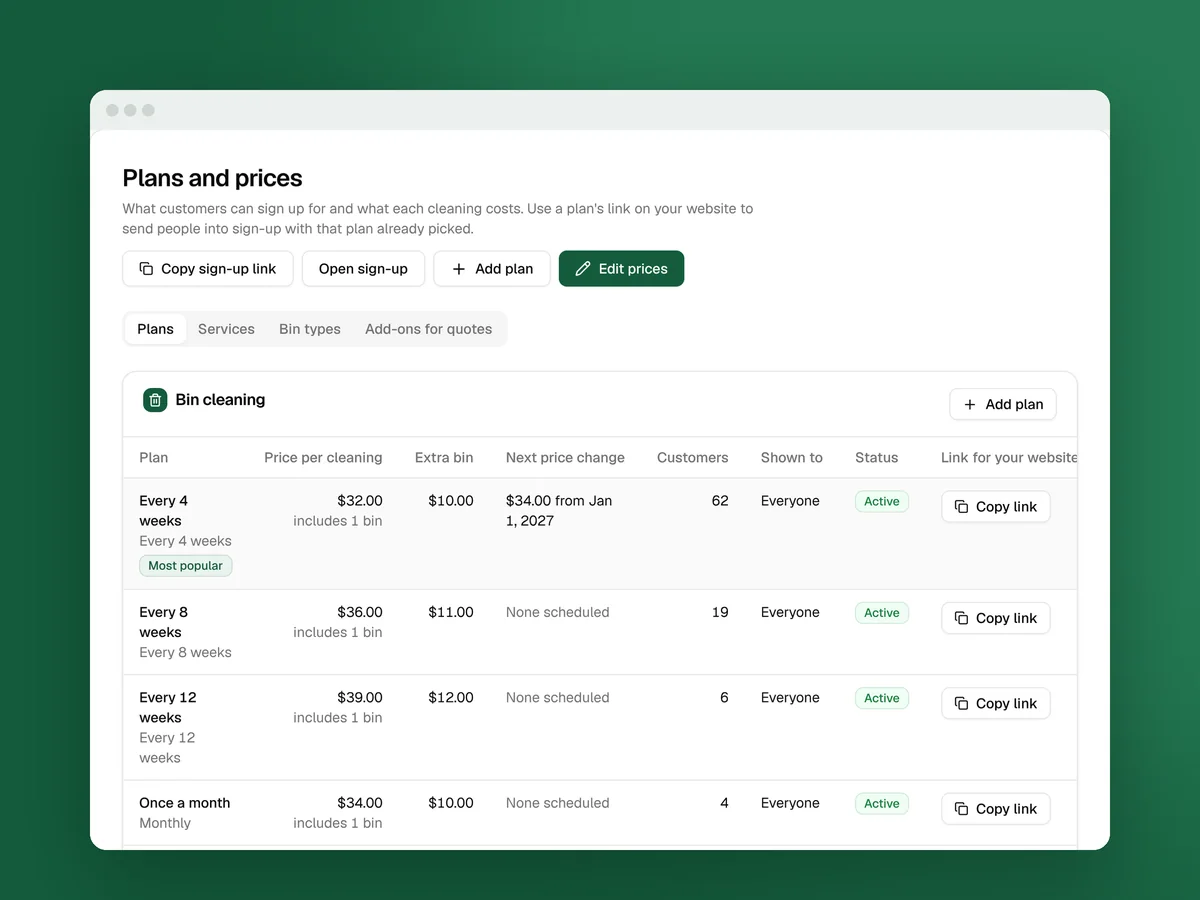
A plan is what a customer signs up for: how often you clean and what each cleaning costs. Every new business starts with four, each with one bin included:
| Plan | Per cleaning | Each extra bin |
|---|---|---|
| Every 4 weeks, marked Most popular | $32 | $10 |
| Every 8 weeks | $36 | $11 |
| Every 12 weeks | $39 | $12 |
| One-time cleaning | $59 | $15 |
Those are placeholders. The startup course found a median of $25 a month for a basic plan, so set yours against the five companies nearest you (pricing lesson).
The plan you sell matters as much as the price. A typical two-bin home pays about $348 a year on a monthly plan and $160 on a quarterly one. And every 4 weeks is 13 cleanings a year, not 12. At $32 that’s $416 a year, which is why the sign-up page shows it as “about $35 a month”.
Change the prices in one table
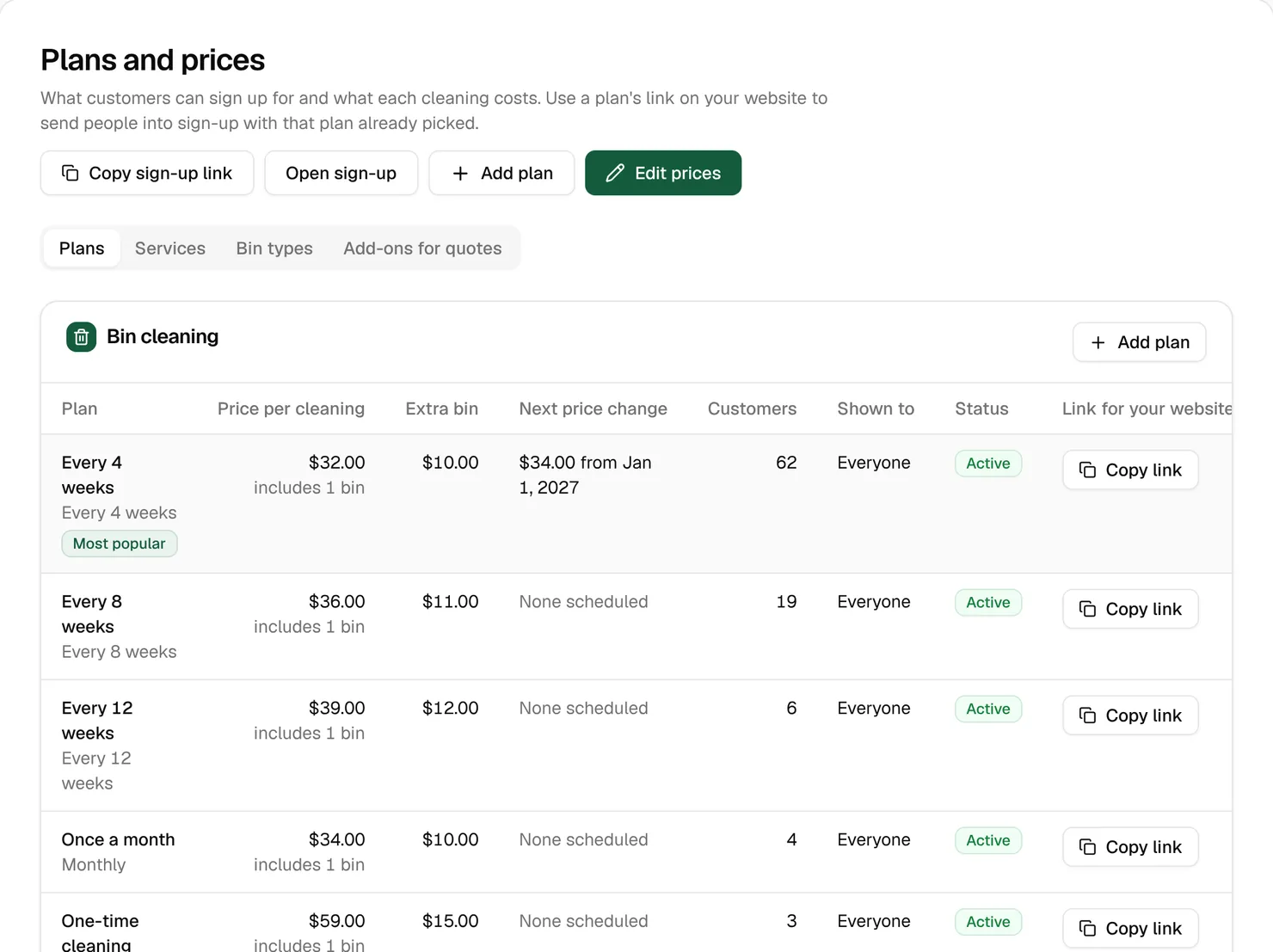
- Open Business › Plans & prices and click Edit prices.
- Each plan is one row. Change the Plan name, Price per cleaning, Bins included and Each extra bin.
- Untick Offered to take a plan off the sign-up page. Customers already on it keep cleaning.
- Click Save prices.
New sign-ups get the new prices right away, and customers who already signed up keep what they pay.
A cleaning’s price starts with Per cleaning, which covers the bins included. Add Each extra bin for every bin over that, and Each extra trash day once for each extra pickup day, like garbage on Tuesday and recycling on Friday. Two pickup days means two stops, so charge for the second drive. Bin-type surcharges come next. Then one discount comes off, the biggest one, sales tax is added, and account credit comes off last.
Example: At $32 with one bin included and $10 for each extra bin, two bins on the same trash day cost $42. With an $8 extra trash day, two bins that go out on different days cost $50.
Price lists: raise prices without surprises
Every plan has price lists with start dates. Customers lock in the list in effect on the day they sign up, so editing a list never changes what current customers pay.
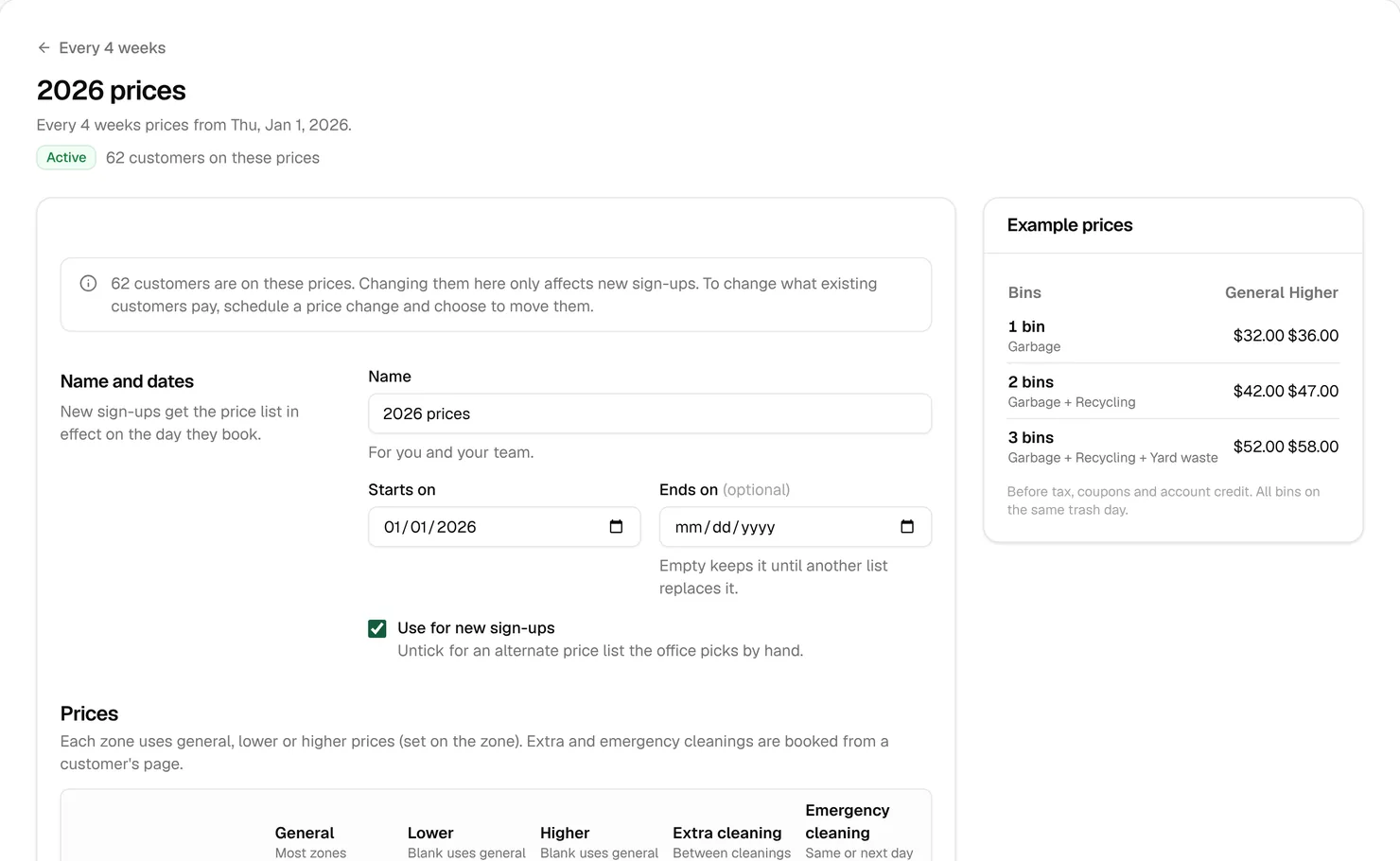
To raise prices, schedule a change:
- Open the plan from Business › Plans & prices and click Schedule a price change.
- Check Starts on. It suggests the first of a month at least a month out.
- Enter the new prices.
- Leave Move existing customers on this plan to these prices ticked, and Tell them before the change at 30 days.
- Make sure the Price change notice email is on in Messages › Texts & emails, then click Schedule price change.
Thirty days before the start date, customers on the plan get the notice by email. On the start date, new sign-ups and current customers move to the new prices. To change prices for new sign-ups only, untick the move box.
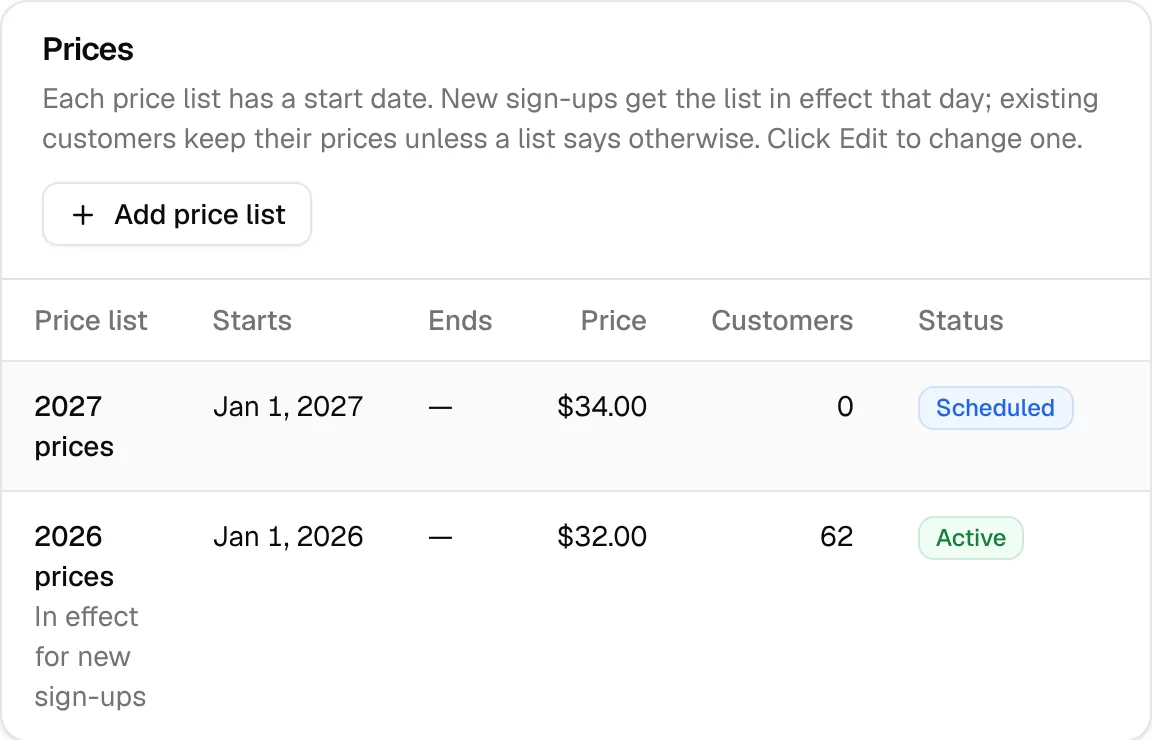
The startup course’s advice is to raise prices once a year. A new price list each year, like the sample’s “2027 prices”, makes that routine.
Watch out: The notice shows the plan’s General price as the new price, even to customers in zones on lower or higher prices. If you use those, check the notice’s wording first.
Zone prices
Each price list has General, Lower and Higher columns. A blank cell uses the general price, and each zone picks one in its Price list setting (Lesson 4). Use Higher where stops are spread out: in the startup course’s words, a 20-minute detour for one $29 cleaning loses money.
The grid also prices Extra cleaning and Emergency cleaning visits, which you book from a customer’s page.
Prepaid years
A prepaid bundle is several cleanings paid at once, for a discount or free cleanings. The startup course found them on 14% of bin cleaning sites. They’re worth offering: prepaid customers don’t cancel in month two, and the cash helps in winter (keeping customers lesson).
- Open the plan and find Prepaid options.
- In the empty row, type a name like “Prepay a year” and set Cleanings, % off and Free.
- Click Add.
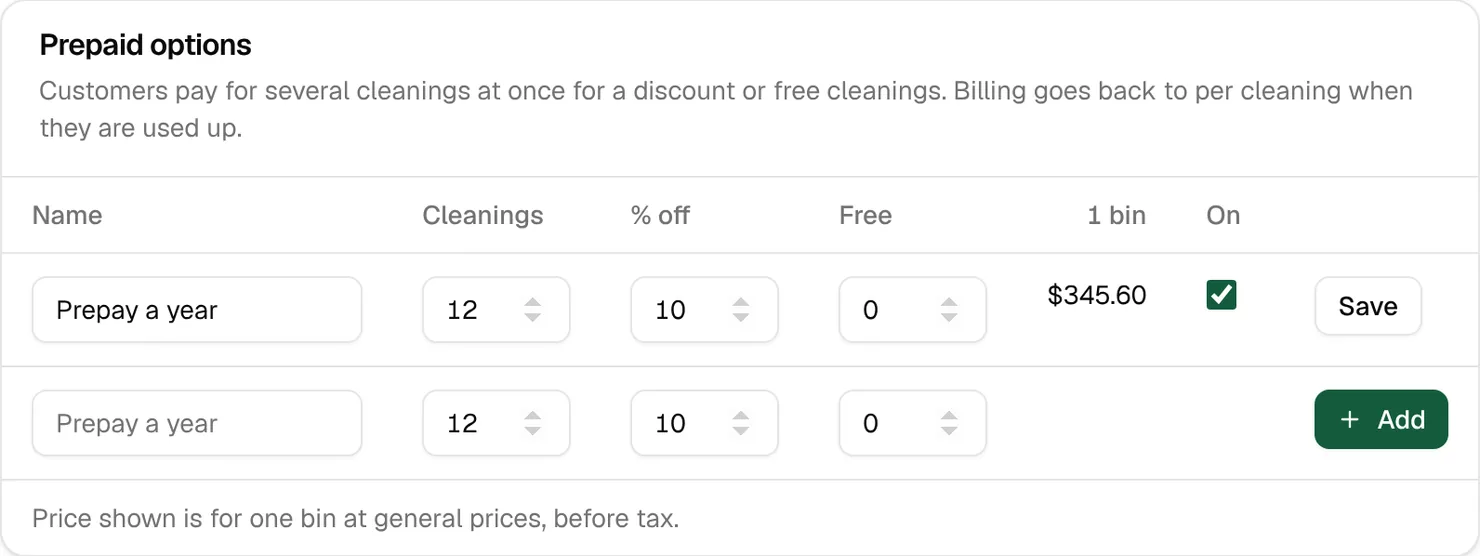
The customer pays once, up front, and coupons don’t apply. When the cleanings are used up, billing goes back to per cleaning, and the customer is told. Bundles show on the sign-up page while Offer prepaid options is on (Lesson 6).
Tip: On an every-4-weeks plan, a year is 13 cleanings. The form starts at 12, which covers 48 weeks. Make it 13 cleanings, or 12 plus 1 free, and “a year” really is a year.
Services, add-ons and bin types
Three more tabs sit next to Plans:
- Services group what you sell. Bin cleaning is sold as Plans. One-off work like power washing is sold as Quotes: you price each job on a quote or invoice (Lesson 7).
- Add-ons for quotes are extras you add to quotes and invoices, priced each, per sq ft, per hour or flat. Customers never pick these on their own.
- Bin types start as Garbage, Recycling and Yard waste. Add one like Compost and a surcharge row for it appears on your price lists. Bin types can be switched off, not deleted.
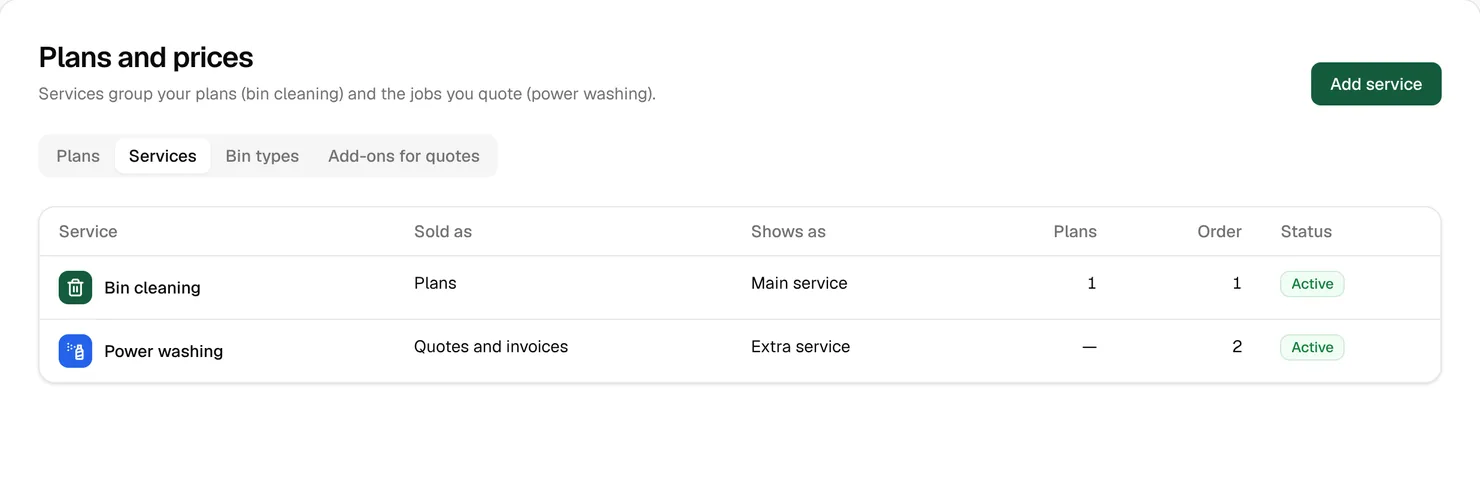
Extra work earns more from the same customers without more driving. One San Antonio company in the startup course says emailing customers about pressure washing often books “thousands of extra dollars.”
Coupons and intro offers
An intro offer lives on a price list: a percent off the first cleanings for new sign-ups. A coupon is a code. Make one in Money › Coupons with New coupon:
- Type the Code, like SPRING20. A Note for your team can say where you’re handing it out.
- Choose Percent off or Dollar amount off.
- Set Applies to: 1 for the first cleaning, or 0 for every cleaning while they stay.
- Add Starts, Ends, Max uses or New customers only if you need them, then click Create coupon.
On the coupon’s page, Copy link copies a link to your sign-up page with the code filled in, and QR code for print makes a printable code. Discounts never stack: the customer gets the biggest one.
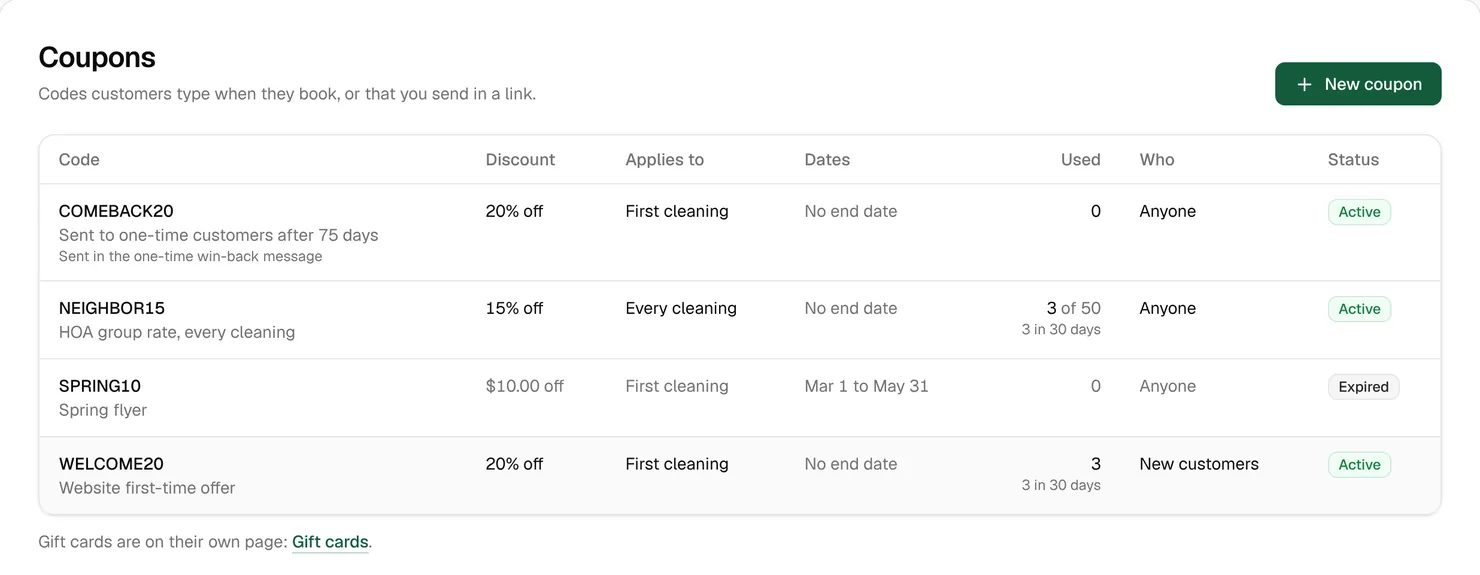
Tip: Give each door-hanger run its own code, and Used shows which streets answered. A code with Applies to at 0 makes a standing street deal: the startup course figures 10% to 20% off for 20 homes on one street still leaves you ahead.
Gift cards
People buy gift cards on your gift card page, yourname.cleanbinsystem.com/gift: $25, $50, $100 or another amount from $10 to $500. The person it’s for gets an email with a code, and the whole value becomes account credit when they book. You can also give one away from Money › Gift cards with Give a gift card, for example after a missed cleaning.
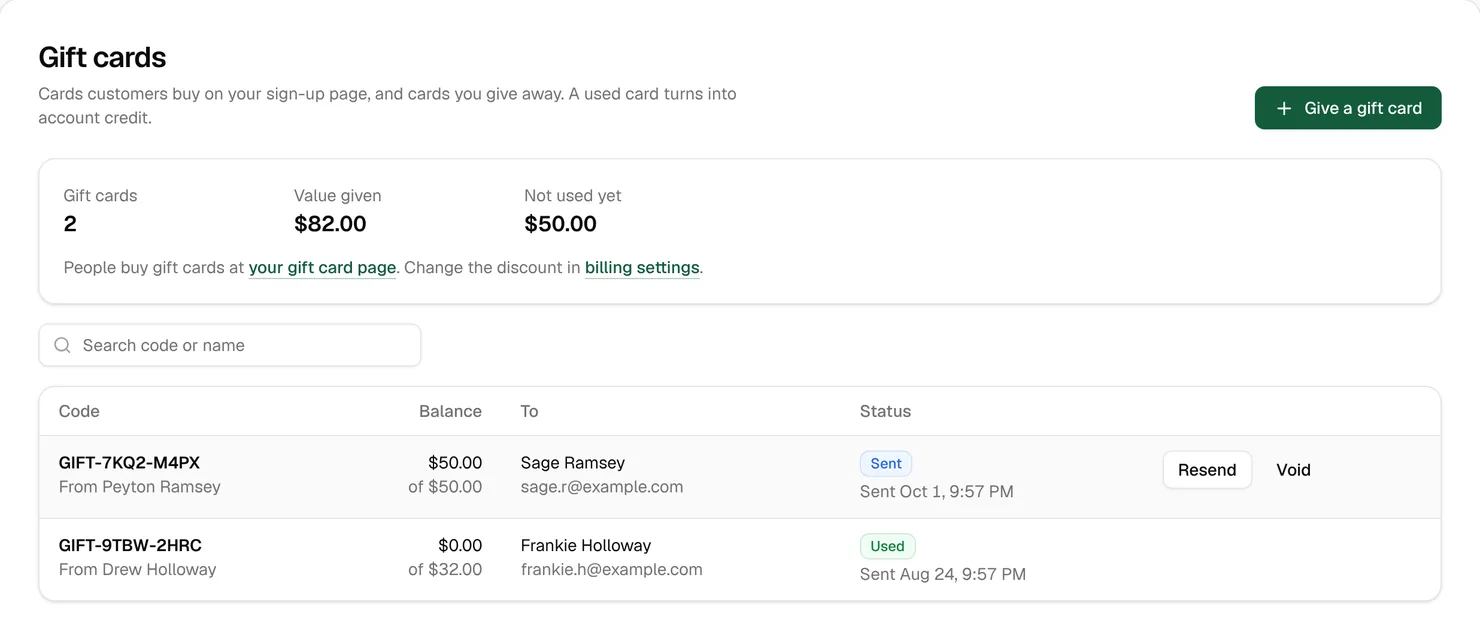
They bring in cash in the slow months: 20 of the 84 bin cleaner sites the startup course read sell gift cards, often as holiday gifts. To sell them below face value, set Discount on gift cards in billing settings.
Plan links for your website
Each plan has its own sign-up link. People who click it check their address, then go straight to their bins with that plan picked. Copy it with Copy link on the plans page, or Copy under Link for your website on the plan’s page, and put it behind each plan’s button on your pricing page.
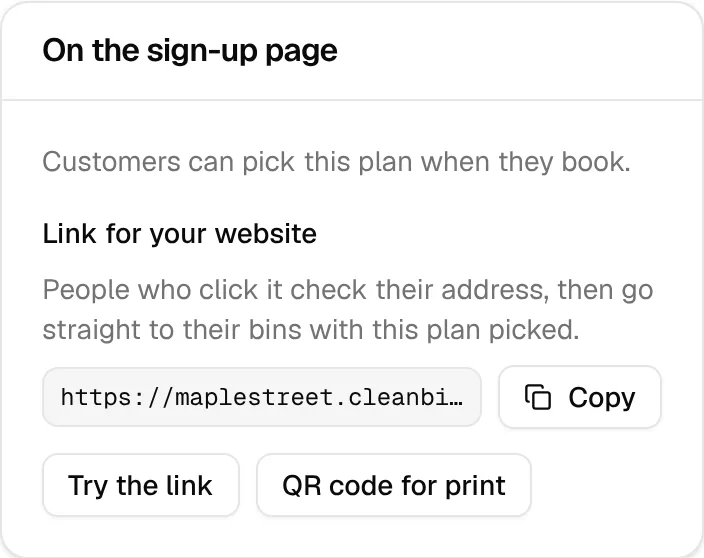
To add a coupon, put “&code=” and the code at the end of the link, like “&code=SPRING20”. The screen doesn’t say so, but it works.
The Plans and prices, Changing prices, Coupons and Gift cards guides in your Learning center cover every field.
Key takeaways
- Replace the starter prices with your own, set against the companies nearest you.
- Customers keep the prices they signed up with. Raise prices with a scheduled price change and 30 days’ notice.
- Use Higher zone prices where stops are spread out.
- Offer a prepaid year. On an every-4-weeks plan, that’s 13 cleanings.
- Coupons, intro offers and referral discounts never stack. The biggest one wins.
FAQ
I changed a price. Why do my customers still pay the old one?
Prices lock in at sign-up. To move current customers, schedule a price change and leave Move existing customers on this plan to these prices ticked.
Why doesn’t a plan show on the sign-up page?
It has to be on, shown to Everyone, with its service on and prices in effect that aren’t office only. The On the sign-up page panel on the plan’s page says which.
Can a customer use a coupon and a gift card together?
Yes. Only the biggest discount applies, but a gift card is account credit, so it comes off on top.